See Timekeeper in Action
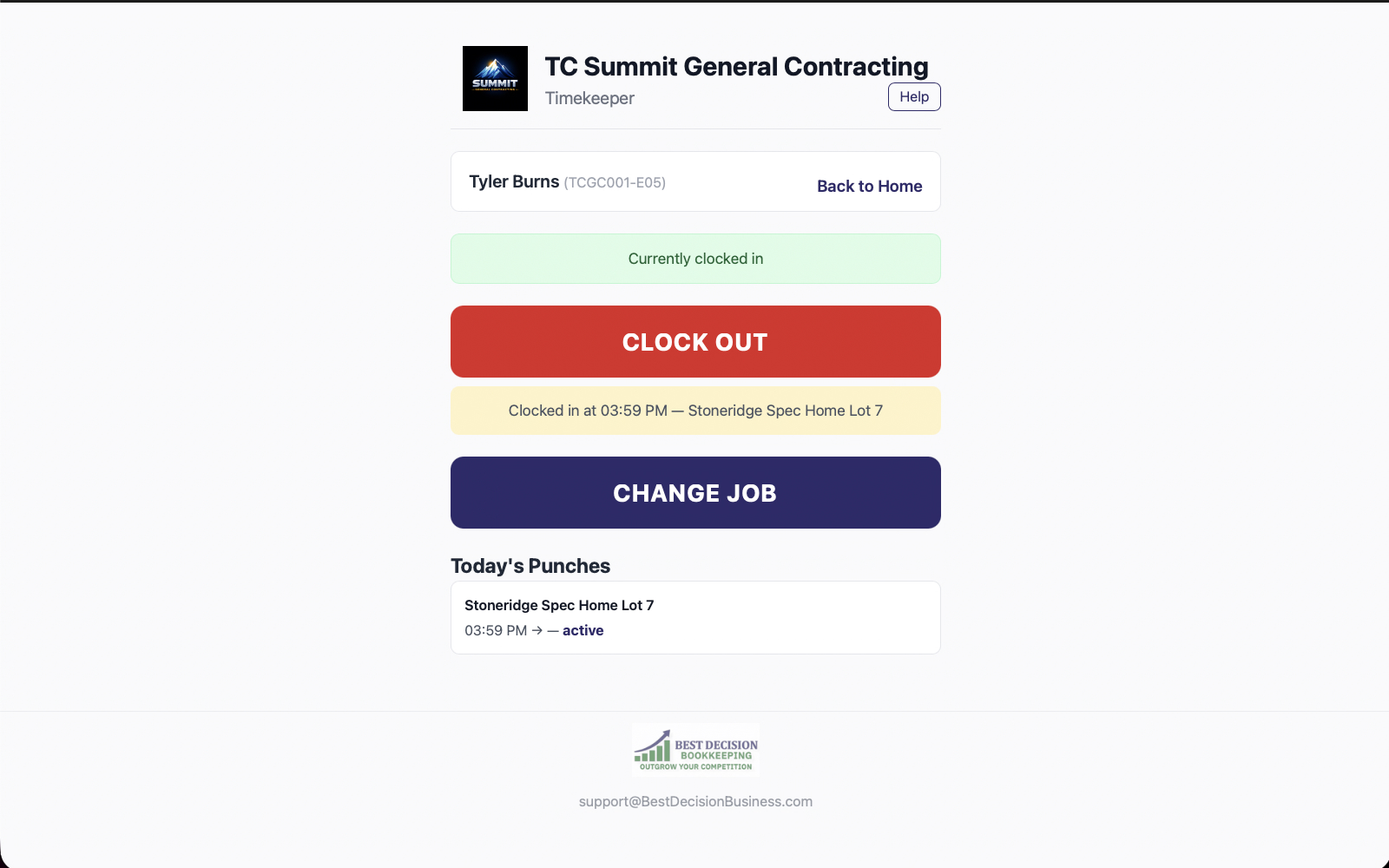
GPS-verified clock in/out, real-time labor burden tracking, and payroll-ready exports. All from a phone browser — no app install needed.
Labor is the largest cost on most jobs. If you're reconstructing timesheets from memory at the end of the week, you're not tracking costs — you're estimating them.
Here's what that actually costs: A 15-minute rounding error doesn't sound like much. But across 10 employees, 5 days a week, at $30/hour, that's $2.50 per person per day. Over 52 weeks, that adds up to untracked labor.
And that's just rounding errors. It doesn't account for buddy punching, showing up late, or time spent at the wrong jobsite. Now add the labor burden — workers' comp, FICA, unemployment taxes — and the real cost per employee-hour is 20-30% higher than the hourly rate. If you're not tracking burden, you don't actually know your job costs.
Timekeeper replaces paper timesheets, text message check-ins, and end-of-week guesswork with GPS-verified, job-level time tracking that feeds your financial pipeline.
Your crew opens their phone browser and taps Clock In. GPS confirms they're at the right jobsite — no app install, no buddy punching, no guesswork.
Assign employees to specific jobs. Timekeeper calculates labor burden (workers' comp, FICA, unemployment) and tracks overtime as hours accumulate — not after the fact.
Review hours before payroll. Flag discrepancies, approve timesheets, and export payroll-ready data in one click. No re-keying, no spreadsheets, no surprises on payday.
Every clock-in. Every location. Every dollar. Updated live.
Most time tracking apps tell you when someone clocked in. Timekeeper tells you where they were, what it actually cost, and whether that job is still on budget.
Every clock-in is geotagged. You see exactly where your crew is — no more buddy punching, no more "I was there at 7" when the GPS says 7:42.
Timekeeper doesn't just track hours — it calculates the real cost including workers' comp, FICA, and unemployment taxes. You see true labor cost per job, not just billable hours.
Every hour is tied to a specific job. Combined with receipt capture, you get complete job costing — labor plus materials — as work happens, not after the invoice goes out.
Timekeeper runs in a phone browser (PWA). Your crew doesn't need to download anything, create app store accounts, or deal with updates. Open the browser, tap Clock In.
Track overtime as it accumulates, not after the fact. Export payroll-ready data in one click — no re-keying into spreadsheets, no manual calculation, no surprises on payday.
Timekeeper doesn't just track time — it creates the labor cost data that makes your financial reporting accurate. Labor costs flow directly into job costing data that feeds the CFO Dashboard.
Combined with Receipt Capture, you get true job-level profit and loss visibility: labor costs plus material costs, tracked against estimates, updated as work happens. That means your bookkeeper sees clean, categorized labor data — not a spreadsheet emailed at the end of the month.
Timekeeper gives you GPS-verified time data, real labor burden costs, and payroll-ready exports — all from a phone browser. Included with every BDB Project Tools subscription.
Founder's Pricing: $69/mo for 20 users. Retail $149/mo. All six tools included. Founder's rate locked when you sign up before June 30, 2026.